Knowledge base July 2022 Release Notes: Enhanced Shipping Notifications and Purchase Management
By Insight Editor / 21 Jul 2022
Smooth technology purchasing is critical to managing your business needs. The myInsight team released a series of improvements to help you better manage your hardware and software purchases across the logged-in experience for insight.com, the Renewal and Warranty Manager, and the Enterprise License Dashboard.
Insight.com updates
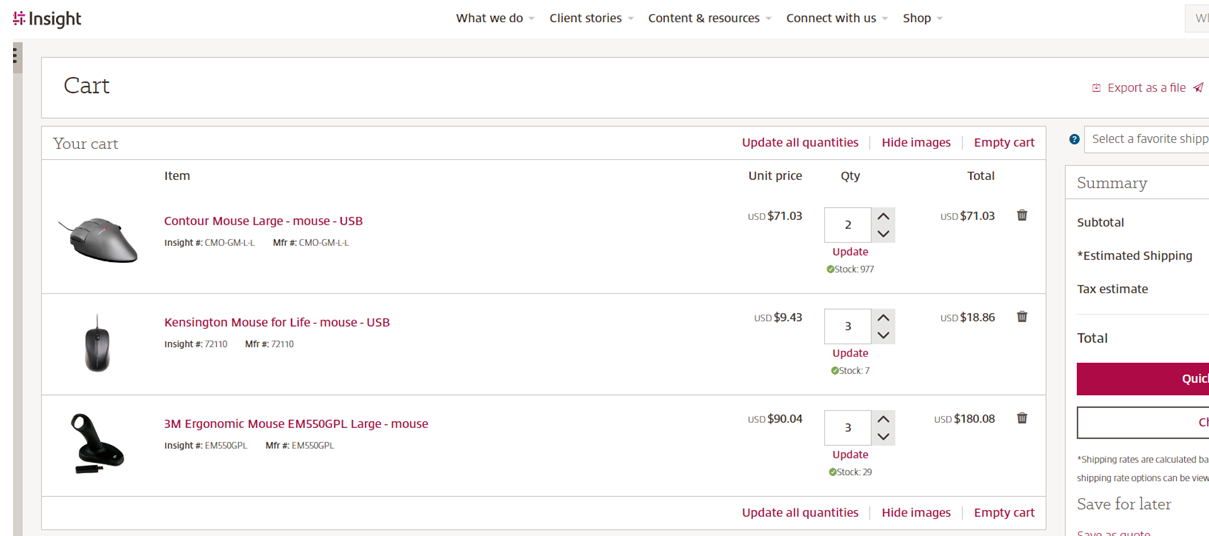
- An option to update all quantities was added to the cart when purchasing technology products. This change makes it easier to update the quantities for multiple products from your cart — reducing the number of clicks. Users can continue updating product quantities at each line level, but now that will only update the quantity for that specific product. Use the “Update all quantities” option at the top and bottom of your cart to change the quantity of multiple products.
- The Advanced Shipping Notification (ASN) email design has been improved to simplify order tracking by adding more order information to the email and increasing readability. The enhanced ASN includes:
- Improved header that’s easier to view
- Hyperlinked order numbers allow you to directly access the insight.com ordering page
- Order status updates aligned with the insight.com order statuses by showing fully shipped, partially shipped and in process
- Shipping quantity tracking breakdowns for orders that require multiple shipments
- Tracking numbers hyperlinked to the carrier’s tracking details page (not available in the APAC region)
- Quantity count for partial shipments
- Product names hyperlinked to the product description on insight.com
- Estimated shipping time displayed as pending for items that haven’t shipped
- Serial and asset tag numbers displayed when available
- Updates to the sale agreement verbiage in footer
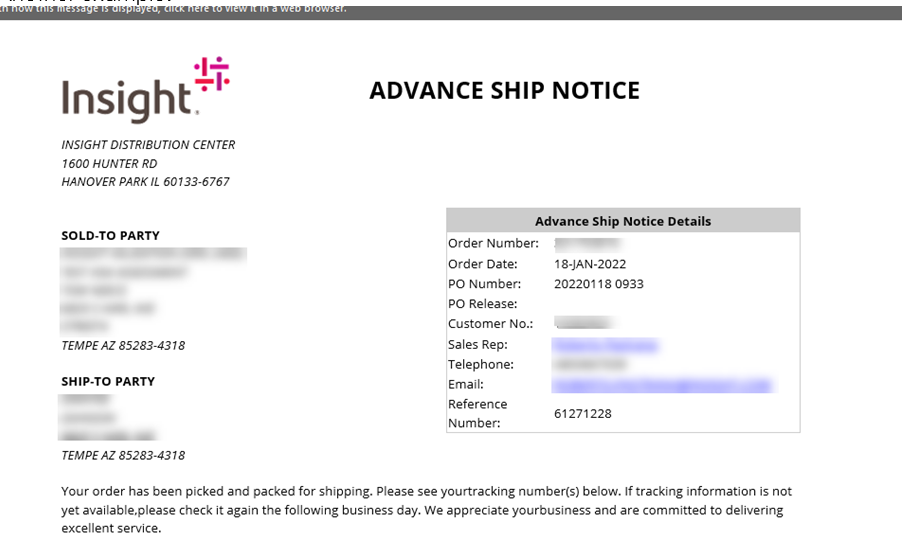
The old ASN.
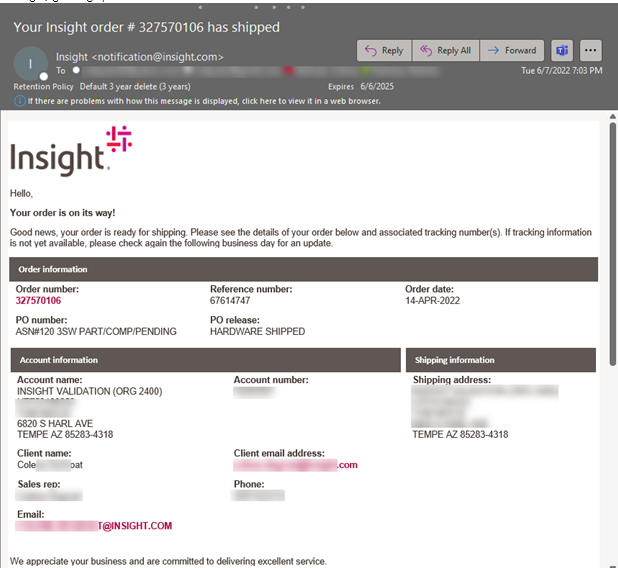
The redesigned ASN header.
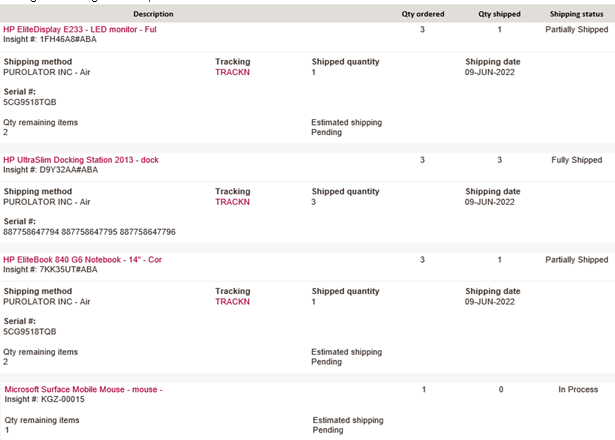
The redesigned ASN body.
There are several ways to set up your ASN emails:
- From the checkout page when completing a purchase, “Add additional recipients”
- The cart through the “Send to a colleague” option.
Renewal and Warranty Manager
The Renewal and Warranty Manager is now available to all EMEA users.
Enterprise License Dashboard
You can now identify if a CSP subscription was purchased through the legacy agreement model or the new commerce experience. This update can be found within the CSP services section under Office 365.
Please contact your account executive if you have questions related to updates.