Audio transcript:
Lifecycle Support for Hybrid Workforce
Ian
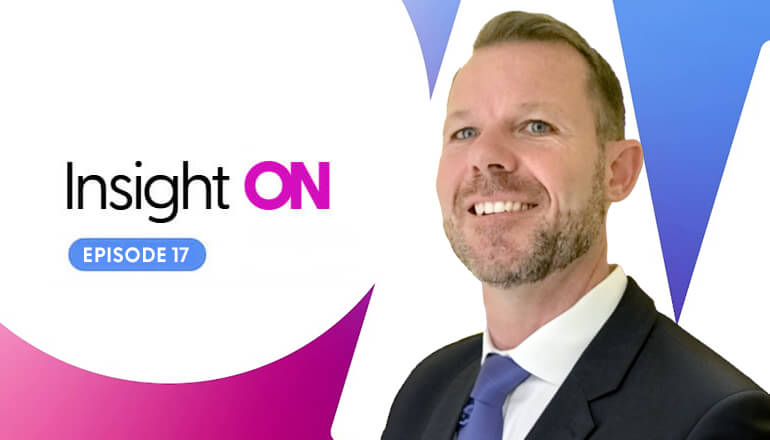
Hello, thank you for joining us for another Insight Tech Talk. I'm Ian Murray, director of Workplace Services, pre-sales and portfolio. Today I'm joined by Christi Mazotas, Christi would you like to introduce yourself?
Christi
Sure, good morning, thank you, Ian. I am Christi Mazotas. I'm the product life cycle, pre-sales solution manager.
Ian
Excellent, thanks for joining me today. So, today's topic is talking about the needs of the hybrid worker in this COVID pandemic environment. Can you tell us a little bit about some of the challenges that you've seen with helping our customers onboard new employees?
Christi
Yeah, we have a lot of employees that are remote. So, since the pandemic hit, we've seen a massive increase of remote workers. So, in order to support those workers, we're finding companies needing new ways to get equipment to them. So, we're doing things like hitting accessories, making sure that users have their monitors, their cables, their headsets, so that we can get those boxes and those kits directly to our home-users, and allow them to immediately begin working. In those kits, we're usually including a little welcome letter. You know, welcome to the company. It share's instructions on how to set up your equipment. And then potentially if you're looking for support, how then do you contact somebody for then, getting that sort of tech support if you need help. So, that's been a huge increase in just getting devices to users.
Ian
And what do you feel has changed, since the onset of COVID last year? How has that impacted that onboarding process?
Christi
So, if we look at pre-COVID, around 30% of remote workers were home-based. Today, we're seeing that more around 58% is the actual, that's the stat today. And that change has driven new types of technology. So, clients moving away from traditional imaging. Having to do on-site active directory, right? That's not working anymore, so we're moving to a more modern state, which is allowing for that over the air right, you just need network Wi-Fi connectivity to be able to upload your profile and your applications, all at the user's desk. So we're seeing a faster shift than originally expected, moving from that traditional imaging methodology, to modern provisioning. And because of the pandemic, it's pushing that in a much faster timeline.
Ian
Fantastic, so do you have any information to hand that would say how many devices do we formally ship to our customers' corporate IT team, for imaging for those devices, versus what, how's that changed and how many now are we shipping direct to end-user ready, pre-installed pre-image?
Christi
So, I don't have the actual numbers on the shift of how many, but I can tell you that we've had a lot of... So no longer are we doing that. Some clients have moved from no longer doing imaging, to strictly doing not kidding and asset tagging, and getting those assets to their users. The other piece of that, that we're seeing, is clients are using refurbished equipment, right? We're having shortages within, getting products into the facility. So, because of those shortages were using legacy equipment and within a client's environment, refurbishing that equipment, and then redistributing that out to the users. So, the volume has shifted, right? So, shifted away from traditional imaging, getting corporate devices into corporate locations, and now sending existing equipment, refurbishing equipment, sending it so that when it gets there, then it's then provisioned. No stats, Ian, directly.
Ian
That's okay. I didn't mean to put you on the spot, sorry. So, I just saw an article recently that said that staff turnover rates have reached a serious high of 16.3 million employees through last year. That was just within one month, due to layoffs and discharges as a result of the pandemic. I mean, we know first-hand that frontline workers were seriously impacted, they were sent home, they were furloughed, laid off. So, where is that refurbished equipment coming from? Is this something-
Christi
So...
Ian
Just, are we talking about eight-year-old Dell PCs that used to be on a shelf in the IT closet? I mean, how current is the equipment that we're seeing?
Christi
So, some is definitely past its end of life. So clients sort of held in that refresh, like let's extend the life of these assets and that's because they can't get new products, right? So, some of these assets are nearing their end, right? Three to five years within their life cycle. But they're extending it because there isn't enough product in the market right now to sustain the turnover. Right? So, we are seeing lots of scenarios where clients just need us to get their equipment back. So, we are sending boxes and labels and bringing equipment back. And we may not actually be triaging or diagnosing, or doing refurbishment equip, at that time that we receive it, they just need assets back, right? With all of these resources leaving clients, there's equipment that's out there. And they're out there sleep at people's homes, right? At companies that, at individual homes. So, sending boxes and labels, and then also, using our team to then do follow-ups, right? Send emails, make phone calls, ensure that we have the right client locations, to get that equipment back to us, so that we can then redistribute it within the environment. What clients are experiencing is devices that aren't coming back, right? If all this turnover people leaving, they just they're keeping the equipment. So, we've also included documentation within those boxes to say, "Return this asset, or you will be charged." Right? "We will send you an invoice." Now that's a drastic measure, but clients are going at that length, to ensure that they're getting their assets back.
Ian
And that's not necessarily because they value the equipment so much. It's more that they need to make sure they have on-hand inventory for the new employees, because of the supply-chain shortages of laptops, because of the semiconductor shortage and the shipping delays coming out of China.
Christi
That's right, yep. And we have inventory programs, right? So we, of course, can help clients with forecasting and determining whether or not, how much asset, or how much equipment do you need, and we can store it, right? Bring it into our facility so that it's ready and waiting. But we still, at this current juncture, need months, right? Months of planning to be able to ensure that we have enough new product. So, in the meantime, we're working feverishly to ensure that we've got refurbished equipment, available for our clients.
Ian
That's a great point. I mean, the supply chain shortages, they first hit, what April, May of last year, with the huge demand of at-home workers, as we all left the office to try and control the spread. We've seen some relief from certain manufacturers, but there are still shortages out there. So, I think it's critical that we now begin to work with that forecasting, that planning with the customers, way in advance, for any acquisitions or any new hiring plans that they might have, in order to make sure that there is sufficient brand new, and refurbished inventory available to support those end-users. Have we seen any changes in the types of devices and models? For example, Google Chromebooks have come into their own like never before, because of availability, affordability, and the fact that these homeworkers aren't doing resource-intensive crunching. For the most part it's email and PowerPoint and Microsoft Office type environments, or Office-based programs, in the case of Google. Can you talk a little bit about the change that you've seen in the device mix that we shipping?
Christi
Yeah, no, that's definitely on point, Ian. We have seen Surface devices, Microsoft Surface, Microsoft Surface Go is huge, right? Those, for whatever reason, they're easier to get, or they haven't been distributed as widely as our other OEMs. So, I've seen a huge uptick, not only in the Chromebooks, 'cause of course, school districts, right? Have been given a ton of money, and they're using that for technology, which is fantastic for us because then we're putting more Chromebooks out into the environment. But definitely huge on the Chromebook and also with the Surface Go's. And part of that is because it allows for that modern provisioning, right? That technology that doesn't require on-prem, active directory, that kind of joined happening. So, they can move faster and distribute more devices to more people.
Ian
Fantastic. So, I've seen some stats recently that really talk about the future of the workplace, right? I mean, I'm seeing things that 48% of employees are going to keep working from home. I read in the press, the articles, that hit my newsfeed every day, talk about 60% of employees expect to be able to work remotely, at least some of the time. And some of those say, if my employer won't let me work remotely, at least some of the time, I'm going to quit and look for another job. And we're seeing this huge Exodus, or this planned Exodus, from the workplace in favor of this work-life balance, this work from home, some of the week. So, I think that everything you've touched on, equipping those end-users, keeping them productive at home, giving them the provisioning techniques, I think all of that's crucial to be able to support this new working environment. So, anything to add more on the off boarding of terminated employees to really support that reclamation of those valuable IT assets, so that we can more quickly onboard their replacements?
Christi
Yeah, I would just add that right, part of it is off boarding, right? It's getting the assets back, but in the environment where we're turning devices faster, some of these assets have value, right? So, it's super important that, if we can't redistribute them in the environment, we're getting as much value out of them as we can, by using disposal services, by remarketing those assets, so that clients can get money back in their pocket to buy new equipment. So, not only is it just getting assets back, but it's ensuring that we quickly move through, what is the next step of that asset, right? Is it going back to another employee? Is it end of lease? Right? Does it need to go back to a lease store, or are we going to get remarketing dollars, and get those moneys back in clients' pockets, faster? Part of the opposite, right? Of the onboarding or off-boarding onboarding, is ensuring that clients are getting assets quickly. So having devices that are available and in inventory, allow that order-to-delivery timeline, to be much shorter. So, right? Getting clients that have new onboarding, that process can take weeks, sometimes longer, because we're going from an OEM, or a partner like Insight. We're typically shipping to some IT staff if we're not currently using the integration labs at Insight. But we would ship to an IT resource, who then have to ship that asset to the user. So, this timing of getting equipment in an employee's hands, is taking a long time. So, by utilizing Lifecycle Services, we're able to say, have the product sitting in our inventory, let it go through pre-provisioning, and really have that asset in your user's hands in 7 to 10 business days, with shipping, right?
Ian
Really?
Christi
So, just ensuring that, making, taking advantage of all the services and ensuring that your forecasting can really help the experience of that new employee, be great, right? Nobody wants to start on day one and not have a PC in their hand.
Ian
Yeah, I saw a blog post recently from AirMason that said that employees, 30% of employees are now saying that their onboarding process is worse than pre-pandemic. So, everything you just talked about helps alleviate that. And I think the real crucial takeaway here, is plan as much in advance as possible. Really anticipate what you’re staffing, and their IT needs are going to be, as far out as you possibly can, and then we'll work with a partner like Insight, to make sure that brand new inventory is available, reclaimed inventory is available. And you mentioned getting back those formerly leased assets from terminated employees as well, which is obviously a huge financial gain to make sure that you're getting those back and getting the value out of them by reusing them or returning them to the leasing company. So, I think you've given us a great deal of information that are about helps you really plan for and support these end-users from an IT perspective. If you don't mind, I'd just like to touch on what do we do with the employees post onboarding and during their tenure with their organization, and that's really around the IT support needs.
So, Insight has a tech hub offering, which is that remote level two, from a virtual team, on a scheduled basis. Where the end-users can get access to what they used to get from their desk-side support team, but in a virtual remote environment. If that level two support team is not able to provide the support they need and fix the users issue, which is likely to be a hardware or a software issue, maybe an operating system issue, if the user requires that level two support, and that's when we can plug into that exchange program, to swap out the user's asset, get them either a refurbished or a brand new asset to keep them productive within 24, 48 hours of the user having the issue, and then taking back in that broken device for doing everything that Christi's already told us about on this talk. About re-imaging that device, refurbishing it, sterilizing it with a UV clean and making sure that it goes out as a replacement device, to whoever is going to get that asset next, in a clean, safe, fully functioning fashion. So that whole program from forecasting, onboarding the employee, getting them the IT assets, supporting them during, that their life with the hiring organization, and then off-boarding them and making sure you get those assets back at the end of their time with the company. I think there's a really comprehensive program that really helps organizations keep their employees productive from day one, all the way through, that their role with that organization. Any closing comments, Christie, anything you'd like to add?
Christi
No, I mean, I think that, having a Lifecycle Service in play, that really supports the user, as you mentioned, from the time they received the asset, until the time they send it back, is really crucial, right? Having not be segregated or different teams within a client organization is not a good user-experience. Right? So, making sure that that's, one team to go to, one team to support, one client, one reseller like us, or a solution provider like Insight.
Ian
Expert, a systems integrator?
Christi
Yeah. Is really a solution that that would be great. And just on top of that, right? Having, Insight that has locations around the country, can really help with that timeline, right? Getting assets out to users and being able to support east coast, west coast operations, holistically is super-important for clients today.
Ian
Fantastic. Well, thank you very much for joining us this morning. Thank you, Christie, for those wonderful insights. I hope you found this Tech Talk useful. Look forward to seeing you next time.
Christi
Thank you.