Article How to upgrade productivity and collaboration with Lenovo and Windows 11
Hybrid work is now the standard for many companies. Embrace the new norm while increasing productivity and collaboration with Lenovo devices and Windows 11 Pro.
By Insight Editor / 2 Mar 2023 / Topics: Collaboration , Devices , Windows 11
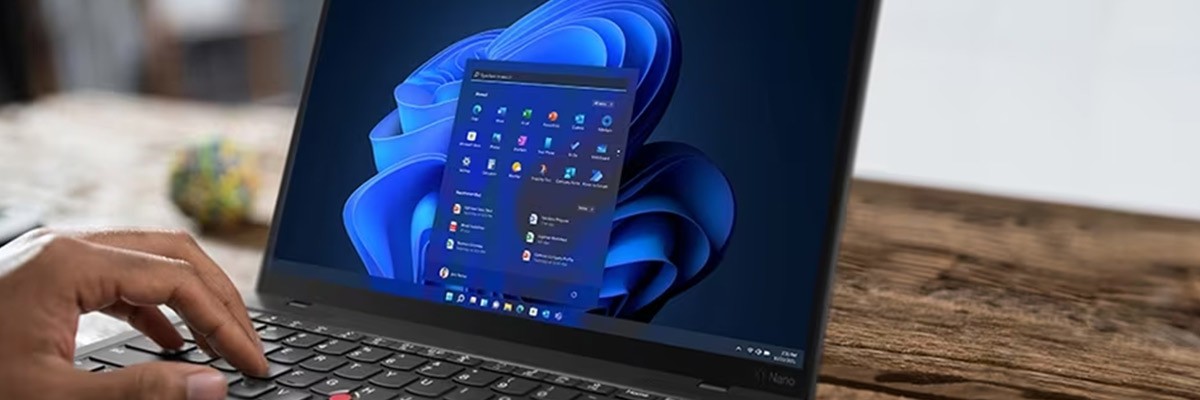
74% of U.S. companies are permanently implementing hybrid work models.1 Lenovo devices equipped with Windows 11 Pro are designed specifically to enhance collaboration and productivity for your hybrid workforce.
These devices complement the new Windows 11 Pro with smart collaboration and productivity features. These features are designed to help you overcome the challenges many of your hybrid teams have, including a lack of communication, distractions at home and the power to seamlessly multitask.
With Lenovo and Windows 11 Pro, your teams will be able to focus on their work and collaborate better than with any other device and operating system. Read on to discover the latest collaboration and productivity features from Lenovo and Windows 11 Pro.
Enhanced collaboration features
40% of employees today find it hard to collaborate on calls and 25% of remote workers think working from home hurts their creativity.2
However, Lenovo devices with Windows 11 Pro enhance collaboration with smart technology designed to keep your meetings and teams focused on work.
The new Windows 11 Pro collaboration features improve your meeting quality with Microsoft Teams upgrades, including better microphone control, app and window sharing, dynamic noise cancelling, background blur and a refreshed Microsoft Whiteboard.
Windows 11 Pro immerses your team during calls to ensure they look and sound their best while maintaining productivity and collaboration.
Improved productivity features
Lenovo and Windows 11 Pro improve productivity with natural workflows and intelligent experiences. The Windows 11 productivity features take your teams’ work to the next level with features, including:
- Hero start screen with effortless navigation between your Start and taskbar
- Snap layouts that adapt to the size of your screen
- Snap groups that remember and restores layouts
- Customizable desktops to manage projects and instantly switch between them
- Personalized widgets to organize your calendar, tasks, news and more
These devices, combined with Windows 11 Pro, increase your teams’ productivity and enable them to securely work from anywhere.
Lenovo + Windows 11 Pro
Lenovo devices are designed to complement today’s modern workforce while enhancing Windows 11 Pro. These devices ensure your business is ready to meet today’s needs while preparing for tomorrow’s challenges.
Talk to an Insight specialist today to add Lenovo and Windows 11 Pro to your hybrid workforce.
1 Accenture. 2021. The Future of Work: A Hybrid Work Model.
2 Lucid. 2021. Report: How Collaboration and Creativity are Suffering in the Wake of COVID-19.


Key takeaways
- Lenovo devices with Windows 11 Pro are designed specifically for today’s hybrid workforce
- Improve video conferencing with smart technology designed to eliminate background distractions
- Stay productive with natural workflows and customizable desktop features

Advertisement