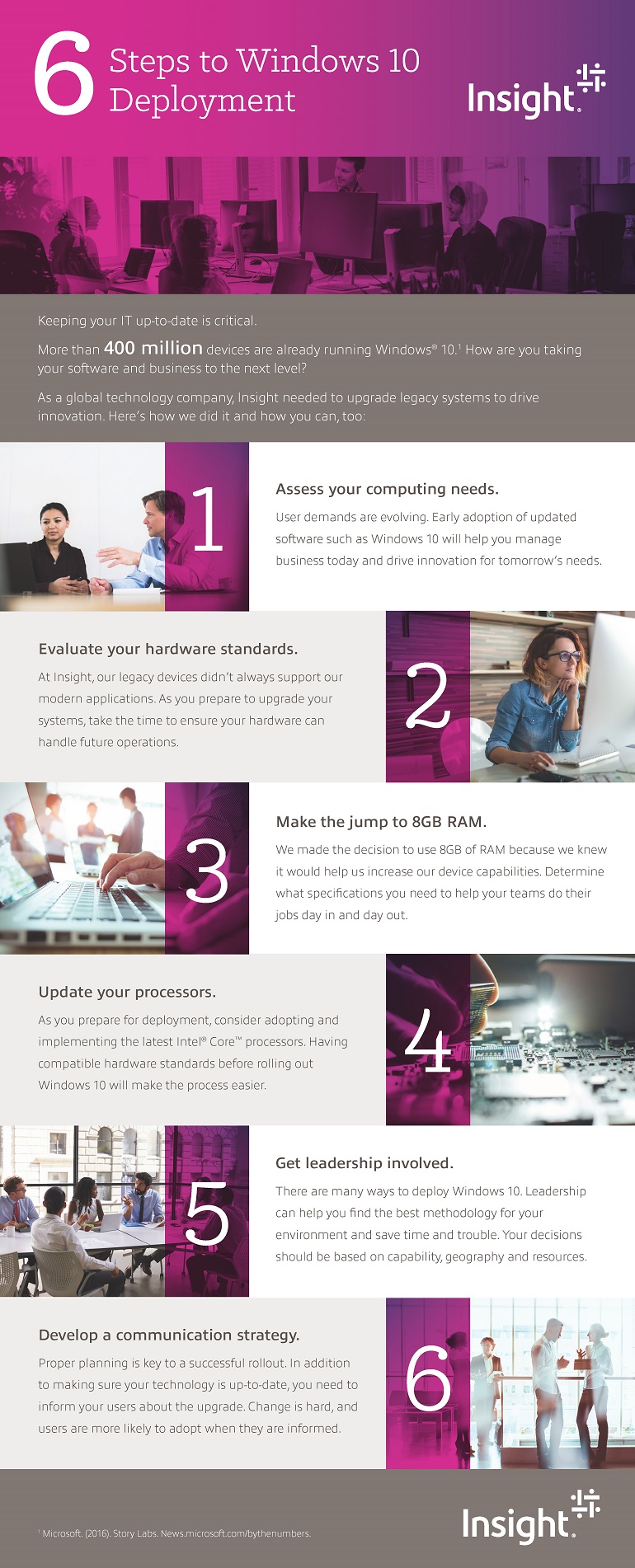
Keeping your IT up-to-date is critical. More than 400 million devices are already running Windows 10. How are you taking your software and business to the next level? As a global technology company, Insight needed to upgrade legacy systems to drive innovation. Here’s how we did it and how you can, too:
- Assess your computing needs.
User demands are evolving. Early adoption of updated software such as Windows 10 will help you manage business today and drive innovation for tomorrow’s needs.
- Evaluate your hardware standards.
At Insight, our legacy devices didn’t always support our modern applications. As you prepare to upgrade your systems, take the time to ensure your hardware can handle future operations.
- Make the jump to 8GB RAM.
We made the decision to use 8GB of RAM because we knew it would help us increase our device capabilities. Determine what specifications you need to help your teams do their jobs day in and day out.
- Update your processors.
As you prepare for deployment, consider adopting and implementing the latest Intel® Core™ processors. Having compatible hardware standards before rolling out Windows 10 will make the process easier.
- Get leadership involved.
There are many ways to deploy Windows 10. Leadership can help you find the best methodology for your environment and save time and trouble. Your decisions should be based on capability, geography and resources, among other things.
- Develop a communication strategy.
Proper planning is key to a successful rollout. In addition to making sure your technology is up-to-date, you need to inform your users about the upgrade. Change is hard and users are more likely to adopt when they are informed.