Article VSphere Optimization Assessment: Improving Resource Use With VMware
If you’re looking for ways to optimize your VMware vSphere environment, the vSphere Optimization Assessment (VOA) may be the tool you need. It comes with three analysis reports, powered by vRealize Operations, that can help you save up to 30% on CPU, memory and storage costs.
By Debbie Malone / 22 Dec 2016 / Topics: Virtualization , Software

What is a vSphere Optimization Assessment (VOA)?
VMware’s vSphere Optimization Assessment advanced analysis tool provides comprehensive assessment of the optimization opportunities in your virtualized environment with a configuration audit report, a performance improvement report and a capacity optimization report. This enhanced evaluation collects data to help you realize the benefits of intelligent IT operations, allowing you to:
- Maximize usage with capacity monitoring analytics across compute, network and storage while automating reclamation.
- Proactively identify and remediate issues with predictive analytics and smart alerts.
- Optimize resource use through a unified console.
Benefits from the vSphere Optimization Assessment (VOA)
With VMware VOA, you can proactively address health, performance monitoring and capacity management of IT infrastructure and applications in your virtualized data center, as well as across heterogeneous and hybrid cloud environments. This enables you to improve efficiency, performance and availability. Benefits include:
- Capacity optimization — Operate IT assets as efficiently and cost-effectively as possible with intelligent workload placement and rebalancing, capacity management, planning and forecasting.
- Performance and availability — Run business-critical applications with confidence. Improve performance, avoid disruption and accelerate troubleshooting with self-learning management tools and policy-based automation.
- Heterogeneous/hybrid data center monitoring — Get comprehensive visibility in a single console, from infrastructure to applications and public clouds, with an open and extensible platform.
Assessment flexibility
VOA provides your organization with the flexibility to choose an assessment time frame that supports your requirements, from one to 30 days:
- The configuration report can be completed within one day for all environments.
- The performance report can be completed within one to three days for less dynamic environments.
The capacity report can be completed within three to 30 days as it provides more accurate recommendations.

Sample vSphere optimization assessment reports
During the course of your evaluation, you can receive a series of analytic reports that assess the configuration, performance and capacity of your VMware vSphere environment. To learn more, watch the following videos and view the sample reports.
Configuration health reports
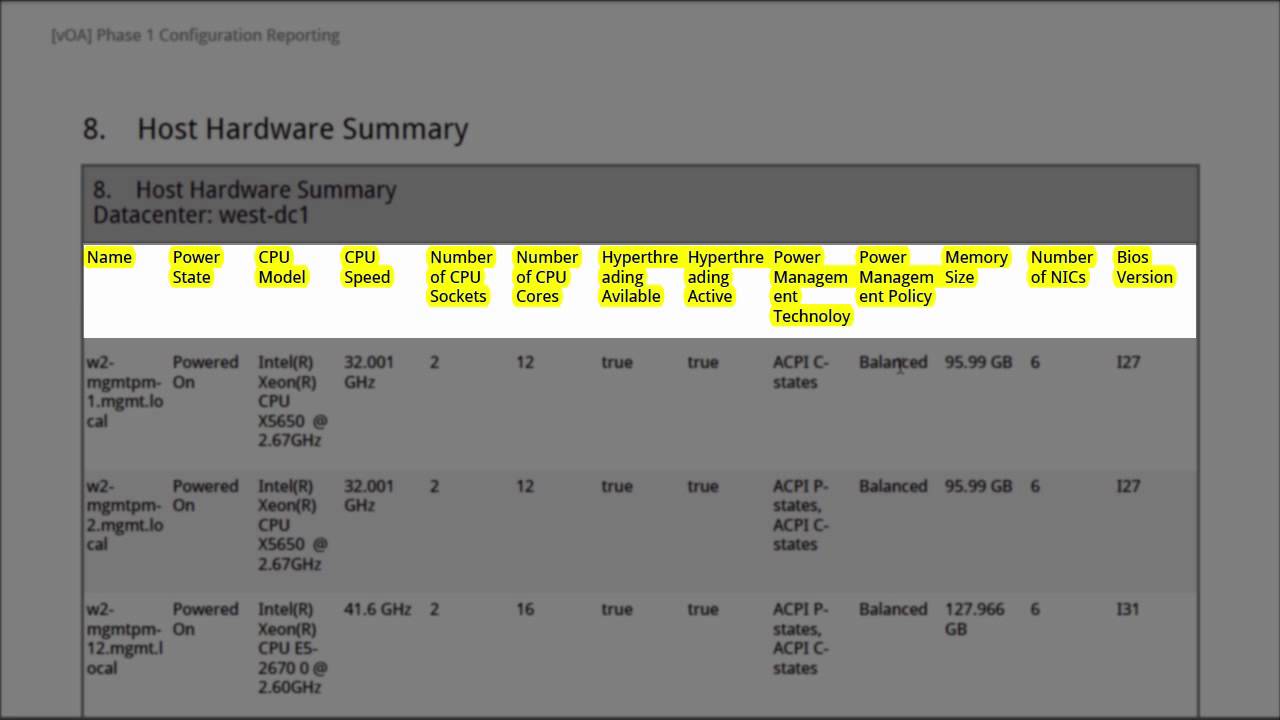
Configuration health reports allow you to:
- Review VMware vSphere configuration settings.
- View cluster, host and virtual machine topology.
- Verify proper virtual machine tools’ distribution and health.
See a sample configuration health report.
Performance assessment reports
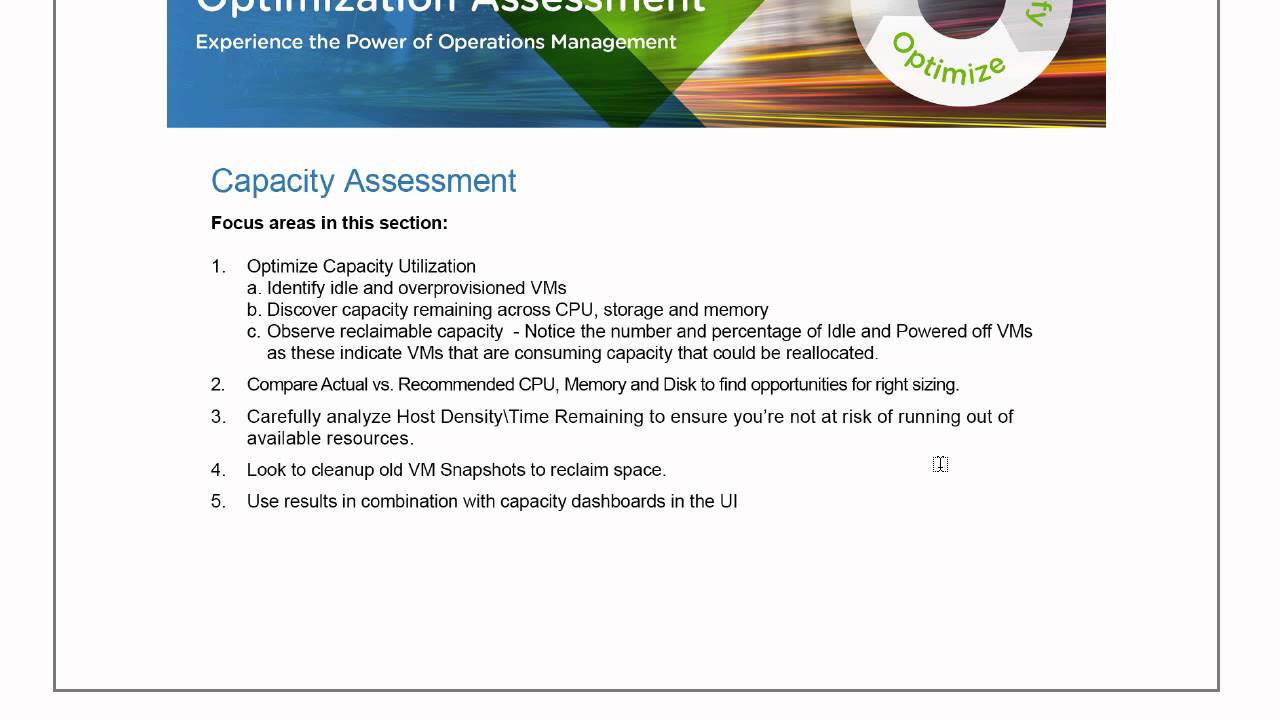
Capacity assessment reports allow you to:
- Reclaim underused resources.
- Identify under- and overprovisioned virtual machines.
- Resize virtual machines to optimize performance.
See a sample capacity usage report.
Get your questions answered.
If you’re ready for a comprehensive analysis of the optimization opportunities in your VMware vSphere environment but still have questions, here are some additional resources to help you determine if VMware VOA is the best solution for your needs: